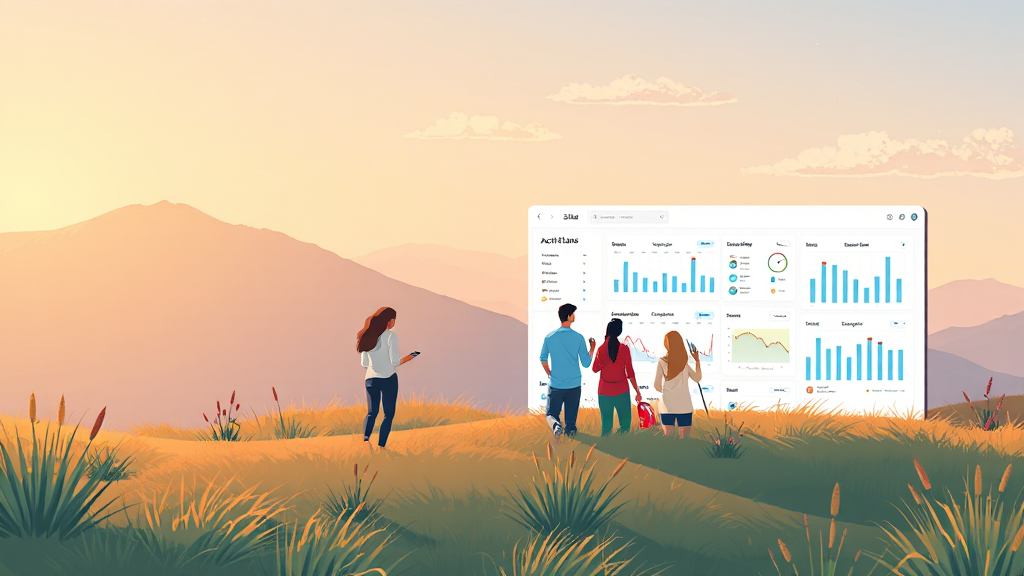
Why Leave Management Software Is Essential for Modern Teams
In today’s fast-paced work environment, managing employee time off has become one of the most critical yet time-consuming tasks for HR teams and small business owners alike. From tracking vacation days to handling sick leave and public holidays, the traditional methods of spreadsheets and email chains are no longer sufficient. This is where leave management software steps in, transforming a chaotic process into a streamlined, automated system that saves time, reduces errors, and improves overall employee satisfaction.
Whether you run a startup with ten employees or a growing company with hundreds, implementing the right solution can make a world of difference. In this comprehensive guide, we’ll explore what leave management software is, why it matters, and how to choose the best option for your organization.
Understanding the Basics of Leave Management Software
At its core, leave management software is a digital tool designed to automate the process of requesting, approving, and tracking employee time off. Unlike manual tracking using Excel sheets or paper forms, this technology provides a centralized platform where both employees and managers can see real-time balance information, submit requests, and receive notifications.
The best systems go beyond simple tracking. They integrate with payroll, handle accrual calculations, and ensure compliance with labor laws. By eliminating the need for constant back-and-forth communication, HR professionals can focus on more strategic initiatives rather than administrative overhead.
Key Features to Look For
When evaluating different options, it’s important to understand which features will actually benefit your workflow. Here are the most valuable capabilities:
- PTO accrual tracking: Automatically calculates earned time off based on hours worked, tenure, or company policy.
- Request and approval workflow: Allows employees to submit requests digitally and managers to approve or deny them with a single click.
- Visual calendars: Provides a clear view of who is off and when, preventing scheduling conflicts.
- Integration capabilities: Connects with existing tools like Slack, Microsoft Teams, or payroll systems.
- Mobile accessibility: Enables employees to submit requests and check balances from their smartphones.
Benefits for HR and Employees
The advantages of adopting a digital solution are felt across the entire organization. For HR teams, the primary benefit is accuracy. Manual calculations are prone to human error, which can lead to payroll disputes or compliance issues. Automated systems ensure that balances are always up-to-date and accurate.
For employees, the transparency offered by modern software is a game-changer. They can see their remaining balance at any time, submit requests without hunting down a manager, and feel confident that the process is fair and consistent. This transparency builds trust and reduces the anxiety often associated with taking time off.
Common Challenges Solved
Many businesses face similar pain points when it comes to time off tracking. Leave management software addresses these directly:
- Double-booking: No more two employees taking the same vacation week without notice.
- Balance discrepancies: End the confusion over how many days an employee actually has left.
- Compliance risks: Stay compliant with local labor laws and company policies automatically.
- Time wasted in meetings: Reduce the time spent in meetings just to discuss who is available.
Integration with Broader HR Systems
Modern leave management solutions don’t exist in a vacuum. They are designed to work alongside other HR technologies. For instance, integrating with an attendance tracking system provides a complete picture of employee availability. Some platforms also offer shift scheduling features, making them ideal for businesses with hourly workers or multiple job sites.
When systems talk to each other, data flows seamlessly. This means that when an employee takes a day off, it automatically reflects in their payroll, reducing the risk of payment errors. It also means that managers can make informed decisions about staffing based on real-time data.
Choosing the Right Solution for Your Business
With so many options on the market, finding the right fit can feel overwhelming. Start by assessing your specific needs. Do you need a simple tool for tracking vacation days, or a comprehensive system that handles accruals, holidays, and shift scheduling? leave management system
Consider the following factors:
- Scalability: Will the software grow with your company?
- User experience: Is the interface intuitive for both tech-savvy and non-tech employees?
- Customer support: What kind of help is available if issues arise?
- Pricing structure: Does it fit within your budget, and are there hidden fees?
Many providers offer free trials, which is an excellent way to test the software’s functionality before committing. Take advantage of these to see how the tool fits into your daily operations.
Implementation Tips
Once you’ve selected a solution, proper implementation is key to success. Start by cleaning up your existing data. Import current leave balances and ensure all employees have accurate records from the outset. Next, communicate the new system to your team. Provide training or guides so everyone knows how to submit requests and check their balances.
It’s also important to establish clear policies within the software. Define what types of leave are available, how much notice is required, and the approval process. The clearer your rules are from the start, the smoother the transition will be.
Looking Ahead: The Future of Time Off Tracking
As remote and hybrid work models become the norm, the demand for sophisticated leave management tools continues to grow. We’re seeing more integration with AI to predict staffing needs, better mobile experiences, and more granular control over different leave types. The companies that adopt these tools early will have a competitive edge in attracting and retaining talent.
Investing in leave management software is not just about administrative efficiency; it’s about creating a better work experience for everyone. When employees feel supported and informed about their time off, they’re more likely to be engaged and productive when they’re on the clock.
Conclusion
Transitioning from manual to automated leave tracking is one of the most impactful changes an organization can make. The right leave management software reduces errors, saves time, and provides the transparency that both HR teams and employees crave. By carefully assessing your needs, exploring available features, and choosing a solution that scales with your business, you can transform a tedious administrative task into a strategic advantage.
If you’re ready to take the next step, explore how a dedicated system can simplify your workflow and keep your team running smoothly.
leave management software offers a comprehensive solution designed to automate PTO requests, approvals, accruals, and balance history. With a visual timeline and real-time visibility, teams can see who’s off and where they work across offices and job sites, all while starting with a free plan.
FAQ
What is leave management software?
Leave management software is a digital tool that automates the process of requesting, approving, and tracking employee time off, replacing manual methods like spreadsheets and email chains. PTO tracker
How does PTO accrual tracking work?
The system automatically calculates earned time off based on hours worked, tenure, or company policy, ensuring accurate balances are always displayed.
Can employees see their own leave balance?
Yes, most modern platforms provide a self-service portal where employees can view their remaining balance and request history at any time.
Is leave management software compliant with labor laws?
Many solutions include features to help ensure compliance with local labor laws and company policies, though it’s important to review the specific capabilities of each platform.
What should I look for in a leave management system?
Key features include PTO tracking, visual calendars, approval workflows, integration with payroll or HR tools, and mobile accessibility.
How long does it take to implement leave management software?
Implementation time varies depending on the complexity of your needs and the software chosen, but many platforms can be set up and operational within a few days to a couple of weeks.
Can leave management software integrate with other tools?
Yes, most modern systems offer integrations with popular tools like Slack, Microsoft Teams, payroll software, and calendar applications to streamline workflows.
>
Readers who are interested in this topic will benefit from exploring multiple perspectives and understanding the nuanced approaches that industry leaders recommend. Taking time to research thoroughly ensures better outcomes and more informed decision-making.
Those looking to gain deeper knowledge in this area should consider following expert analysis, staying updated with the latest developments, and engaging with professional communities where these topics are discussed in detail.
A comprehensive understanding of this subject requires looking at both theoretical foundations and practical applications. By combining study with hands-on experience, learners can develop a well-rounded perspective that serves them well in real-world scenarios.
As the landscape continues to shift and evolve, staying informed about emerging trends and best practices becomes increasingly valuable. This ensures you remain competitive and capable of adapting to new challenges as they arise.