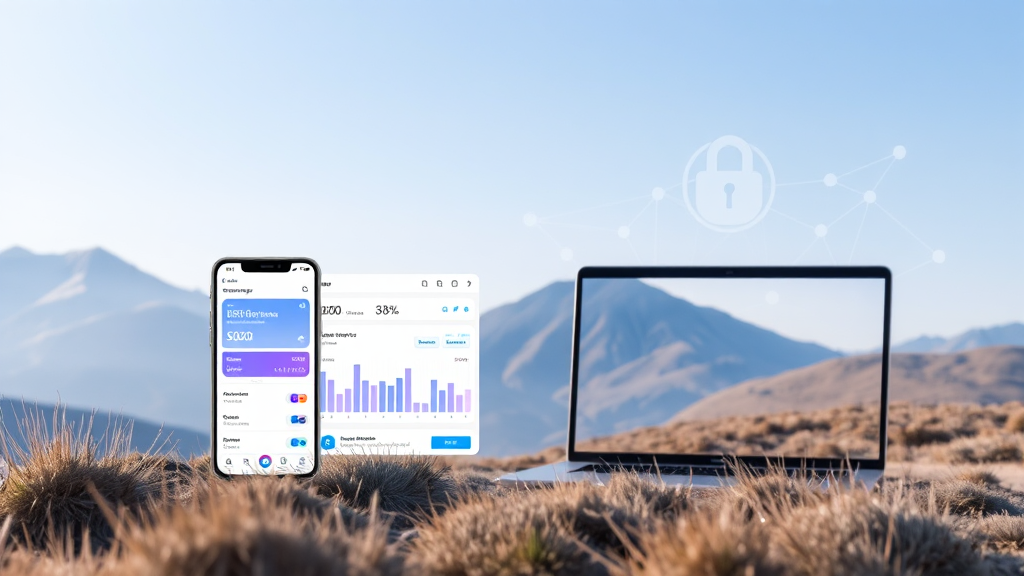
Mastering the Freighter Wallet: A Practical Guide to Stellar Asset Management
In the evolving world of digital finance, the tools you choose to manage your assets can make a significant difference in both security and usability. For those active on the Stellar network, the freighter wallet has emerged as a standout solution. It is not merely a storage space for tokens; it is a comprehensive gateway to the Stellar ecosystem, designed with the everyday user and developer in mind. This guide explores the nuts and bolts of using Freighter effectively, covering its core features, security model, and practical steps for navigating the Stellar apps landscape.
Why a Dedicated Stellar Wallet Matters
While many cryptocurrency wallets support multiple blockchains, using a wallet that is purpose-built for a specific network often provides a smoother and more secure experience. The Stellar network is known for its fast transaction speeds and low fees, but to truly leverage these benefits, you need an interface that integrates seamlessly with its unique features. A generic wallet might not fully support Stellar’s native asset operations, such as managing trustlines or interacting with decentralized applications built on the network. The freighter wallet app addresses this gap by offering a dedicated environment that simplifies these complexities. It acts as a bridge, allowing you to browse, connect to, and use various Stellar apps directly from your browser or mobile device, all while keeping your private keys firmly in your control.
Getting Started with Freighter: Installation and Setup
Your journey with Freighter begins with a straightforward installation process. The wallet is available as a browser extension for popular browsers like Chrome, Firefox, and Brave, and also as a mobile application for iOS and Android. To get started, you simply visit the official Freighter website or your browser’s extension store, download the appropriate version, and add it to your browser or install it on your phone.
Upon launching Freighter for the first time, you will be prompted to create a new wallet or import an existing one using a secret recovery phrase. For new users, the wallet will generate a unique 12-word recovery phrase. This phrase is the master key to your funds. It is crucial to store it in a safe, offline location, as anyone who has access to it can control your assets. Freighter will ask you to confirm your phrase to ensure you have backed it up correctly. This initial step is vital for long-term asset security.
Core Features: Sending, Receiving, and Managing Assets
Once your wallet is set up, the main dashboard presents a clean overview of your account. Here, you can view your balances of different Stellar assets, including lumens (XLM) and other tokens like USDC. Sending and receiving assets is designed to be intuitive. To receive funds, you simply need to share your public wallet address, which is a long string of characters beginning with ‘G’. Alternatively, you can use a more user-friendly Stellar address or a QR code for faster transactions.
When sending assets, Freighter provides a simple form where you enter the recipient’s address, the asset type, and the amount. The wallet also allows you to add a memo, which is often required by exchanges and other services to identify the transaction. One of the key aspects of using Freighter is managing trustlines. In the Stellar network, you must establish a trustline for any asset you wish to hold, other than XLM. Freighter simplifies this process. When you attempt to receive a non-XLM asset, the wallet will often prompt you to add a trustline, confirming that you trust the issuer of that asset. This is a crucial security feature that prevents users from accidentally holding assets from untrusted issuers.
Security Architecture: Non-Custodial Control
Security is the cornerstone of Freighter’s design. As a non-custodial wallet, Freighter ensures that your private keys never leave your device. Unlike custodial services like exchanges, which hold your keys on their servers, Freighter stores your encrypted keys locally, whether in your browser’s extension storage or in the secure enclave of your mobile device. This means that you are the sole custodian of your funds, and Freighter cannot access, freeze, or lose your assets on your behalf.
The wallet also supports hardware wallet integration for an additional layer of security. By connecting a hardware wallet like a Ledger, you can sign transactions offline, ensuring that your private keys are never exposed to a potentially compromised computer. This is a best practice for users with significant holdings. Freighter also allows you to set a password that encrypts your wallet data locally, adding another barrier against unauthorized access.
Browsing and Connecting to Stellar Apps
One of the most powerful features of the freighter wallet is its role as a portal to the broader Stellar ecosystem. Many decentralized applications (dApps) built on Stellar use Freighter as their primary authentication and transaction method. This integration enables you to interact with various services, such as decentralized exchanges, lending platforms, and NFT marketplaces, directly from your wallet.
When you visit a Stellar app that supports Freighter, you will typically see a ‘Connect Wallet’ button. Clicking it will prompt Freighter to ask for your permission to share your public address with the app. This does not expose your private keys; it simply allows the app to view your public account information. When you need to perform a transaction within the app, such as swapping tokens or placing an order, Freighter will display a detailed summary of the transaction. You can then review the details, including the exact amount and fees, before approving it. This approval process ensures that you always have the final say over what happens to your assets.
Practical Tips for a Smooth Experience
To maximize the benefits of using Freighter, consider the following practical tips. First, always keep your recovery phrase offline and never share it with anyone. Freighter will never ask for it, except during the initial setup or recovery process. Second, regularly update your wallet software to ensure you have the latest security patches and feature improvements. Third, double-check the recipient address before confirming any transaction. Stellar addresses are case-sensitive, and a single typo can result in the loss of funds.
Another useful practice is to use the ‘Allow HTTP’ feature only for development purposes. When browsing apps, ensure you are using secure HTTPS connections to prevent man-in-the-middle attacks. For active traders, you can also enable the ‘Auto-approve’ option for small, frequent transactions, but this should be used with caution. Finally, remember that while Freighter supports a wide range of assets, you should always research any asset and its issuer before adding a trustline. This helps protect you from scams and fraudulent tokens.
Comparing Freighter with Other Wallet Options
In the competitive landscape of cryptocurrency wallets, Freighter distinguishes itself through its deep integration with the Stellar network. While other wallets like MetaMask are primarily focused on Ethereum and EVM-compatible chains, Freighter is tailored specifically for Stellar. This specialization results in a smoother user experience for Stellar users, with features like built-in support for Stellar’s native asset operations and seamless connection to Stellar-based dApps.
For users who require multi-chain support, a wallet like MetaMask might be more appropriate, but it often requires manual configuration to work with Stellar and may not support all of Stellar’s features. Freighter’s focus allows it to offer a more intuitive interface for tasks like managing trustlines and using Stellar’s unique transaction memo system. Additionally, Freighter’s non-custodial nature and hardware wallet support are on par with the best in the industry, ensuring that your assets remain secure.
Frequently Asked Questions
Is the Freighter wallet safe to use?
Yes, Freighter is considered safe due to its non-custodial architecture. Your private keys are stored locally on your device and are never transmitted to Freighter’s servers. The wallet also supports hardware wallet integration for enhanced security, and its source code is open for community review.
Can I use Freighter to store any cryptocurrency?
Freighter is specifically designed for the Stellar network. It supports XLM and any other asset issued on the Stellar network, such as USDC, provided you have established a trustline for that asset. It does not support Bitcoin, Ethereum, or other non-Stellar based cryptocurrencies.
How do I recover my Freighter wallet if I lose my device?
If you lose your device or need to reinstall the wallet, you can recover your account using your 12-word recovery phrase. Simply install Freighter on a new device and select the ‘Import Wallet’ option. Enter your recovery phrase exactly as it was given, and your assets will be restored.
What are trustlines and why do I need them in Freighter?
Trustlines are a unique feature of the Stellar network. They represent a user’s trust in an asset issuer. To hold any asset other than XLM, you must establish a trustline for that specific asset. Freighter simplifies this process by prompting you to add a trustline when you attempt to receive a new asset, ensuring you are aware of the issuer before you accept the asset.
Can I connect a hardware wallet to Freighter?
Yes, Freighter supports hardware wallet integration, allowing you to connect devices like a Ledger. This provides an extra layer of security by requiring you to confirm transactions on the hardware device, keeping your private keys completely offline.
Conclusion
The freighter wallet is more than just a simple storage solution; it is an essential tool for anyone looking to actively participate in the Stellar ecosystem. Its user-friendly interface, robust security features, and seamless integration with Stellar apps make it an excellent choice for both newcomers and experienced users. By following the practices outlined in this guide, you can confidently manage your Stellar assets and explore the growing world of Stellar-based applications. Whether you are sending payments, trading assets, or interacting with decentralized finance, Freighter provides the secure and accessible foundation you need.